
DocuFill
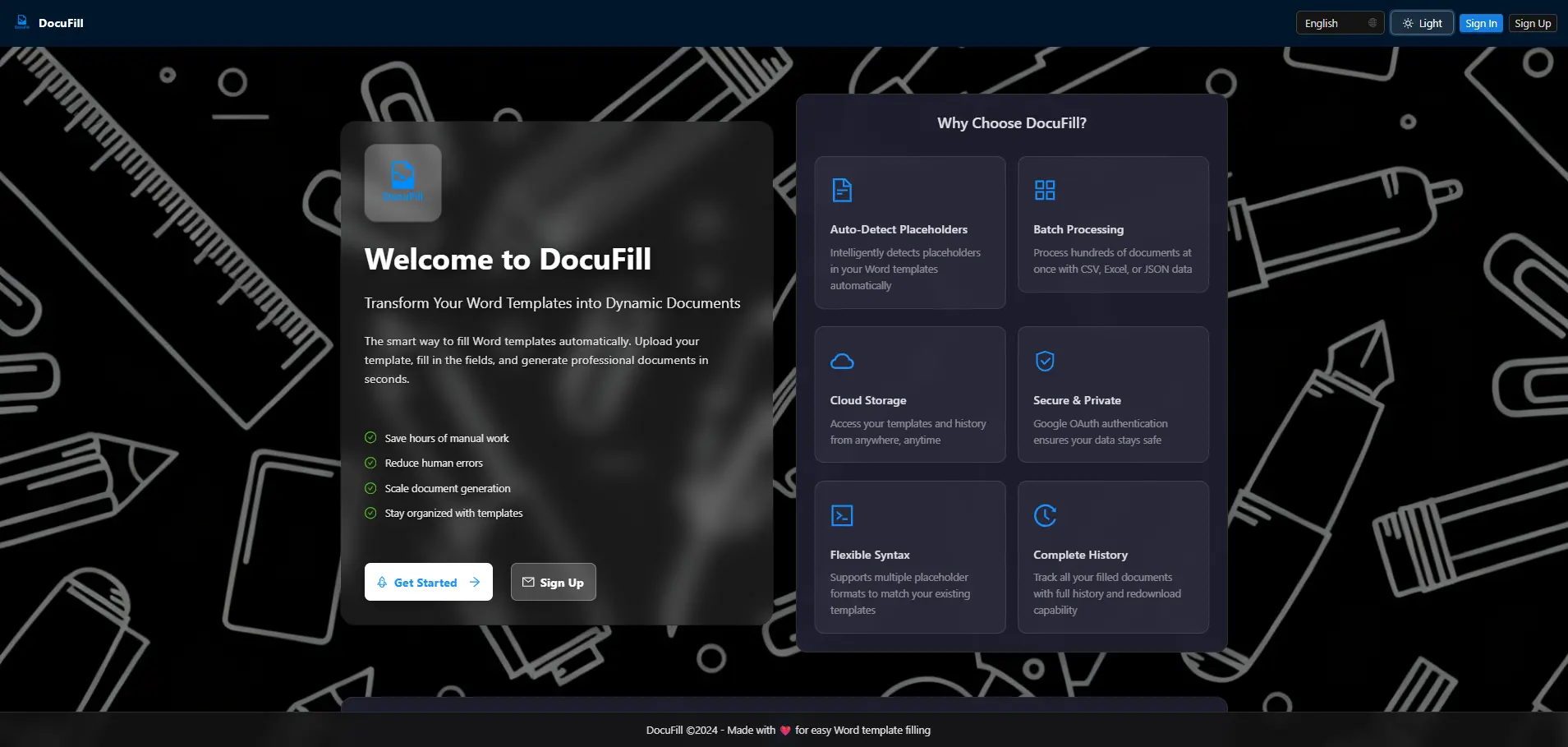
A modern, cloud-enabled web application that allows you to upload Microsoft Word templates, automatically detect placeholders, fill them with user input, and export completed documents. Features Google OAuth authentication and MongoDB cloud storage.
About This Project
A modern, cloud-enabled web application built with Next.js that allows you to upload Microsoft Word templates, automatically detect placeholders, fill them with user input, and export the completed document. Templates and history are securely stored in the cloud with Google OAuth authentication.
Project Overview
DocuFill solves the common problem of repeatedly filling out Word document templates. Instead of manually editing documents each time, users can upload a template once, define placeholders, and generate filled documents instantly. The application supports multiple placeholder syntaxes, batch processing, and provides a seamless cloud-based experience.
Key Features
📄 Template Management
- Upload Word Templates - Drag and drop or click to upload
.docxfiles - Automatic Placeholder Detection - Intelligently detects placeholders in your template
- Cloud Storage - Templates stored securely in MongoDB Atlas
- Template History - Access and reuse previously uploaded templates
🎨 Flexible Placeholder Syntax
Support for multiple placeholder formats to match your existing templates:
{{fieldName}}- Double curly braces (recommended){fieldName}- Single curly braces[[fieldName]]- Double brackets[fieldName]- Single brackets{[fieldName]}- Mixed syntax
Special Character Support: Fully supports placeholders with spaces, commas, and special characters (e.g., [City, ST Zip Code])
📝 Dynamic Form Generation
- Automatically creates input fields for detected placeholders
- Real-time validation and error handling
- Support for various input types based on placeholder context
💾 Document Export
- Export to Word - Download filled documents as
.docxfiles - Preserves Formatting - Maintains original document styling and structure
- Batch Processing - Process multiple documents at once using CSV, Excel, JSON, or manual data entry
- Batch History - View and redownload past batch processing results with detailed success/failure information
🔐 Hybrid Authentication
- Google OAuth - Industry-standard OAuth 2.0 authentication for quick sign-in
- Email/Password - Traditional email and password authentication
- Password Management - Forgot password and reset password features
- Account Linking - Link Google account to existing email account
☁️ Cloud Storage & History
- Secure Storage - Templates and history stored in MongoDB Atlas
- Accessibility - Access your templates from any device
- Backup - Automatic backup of templates and history
- Sync - Synchronize across multiple devices
- History Management - View and redownload previously filled documents
🎨 Modern UI/UX
- Ant Design - Beautiful, enterprise-class UI components
- Framer Motion - Smooth animations on landing and auth pages
- Full-Screen Loading - Professional loading experience during page transitions
- Responsive Design - Works seamlessly on desktop and mobile devices
- Dark Mode - Built-in dark/light theme support
- Theme Customization - Customize primary and secondary colors
- Font Customization - Choose your preferred font family
🌍 Internationalization
- Multi-language Support - English and Chinese (Simplified)
- i18n Configuration - Easy to extend with additional languages
🏢 Enterprise Features
- White-label Support - Customize company name and logo for commercial use
- Group Management - Organize templates and users into groups
- User Settings - Comprehensive user preference management
Technology Stack
Frontend
- Next.js 16 - React framework with Page Router
- React 19 - Latest React features
- Ant Design 5.12.8 - Enterprise-class UI design language
- Framer Motion - Declarative animations
Backend & Services
- NextAuth.js - Authentication with Google OAuth and email/password
- MongoDB Atlas - Cloud database (M0 Free Tier for development)
- Node.js 24 - Runtime environment
Libraries & Tools
- docxtemplater - Word document processing and template filling
- pizzip - ZIP file handling for Word documents
- file-saver - Client-side file download functionality
- bcrypt - Password hashing and security
- gray-matter - Frontmatter parsing
Technical Architecture
Authentication Flow
- Hybrid Authentication: Supports both Google OAuth and email/password
- Session Management: Secure session handling with NextAuth.js
- Password Security: Bcrypt hashing with salt rounds
- Account Linking: Ability to link multiple auth methods to one account
Database Schema
- Templates: Store uploaded Word templates with metadata
- History: Track individual document processing history
- BatchHistory: Track batch processing operations
- Users: User accounts with authentication credentials
- UserSettings: User preferences and customization
- Groups: Organization and collaboration features
Usage Examples
Basic Workflow
- Sign In - Authenticate with Google OAuth or email/password
- Select Placeholder Syntax - Choose your preferred placeholder format
- Upload Template - Drag and drop or click to upload Word template
- Review Detected Fields - App automatically detects all placeholders
- Fill in the Form - Enter values for each detected placeholder
- Generate Document - Download filled Word file
- Save Template - Optionally save to cloud for future use
- View History - Access previously filled documents
Template Format Examples
Letter Template:
Dear {{recipientName}},
This letter is regarding {{subject}}.
Date: {{date}}
Location: {{location}}
Best regards,
{{senderName}}
Invoice Template:
Invoice #: [[invoiceNumber]]
Date: [[invoiceDate]]
Customer: [[customerName]]
Amount: $[[amount]]
Key Technical Challenges
Word Document Processing
- Format Preservation: Maintaining original document formatting while replacing placeholders
- Complex Structures: Handling tables, headers, footers, and nested content
- File Size Management: Efficient processing of large documents
Placeholder Detection
- Multiple Syntaxes: Supporting various placeholder formats
- Special Characters: Handling spaces, commas, and special characters in placeholder names
- Edge Cases: Detecting placeholders in different contexts (headers, footers, tables)
Batch Processing
- Data Validation: Validating CSV, Excel, and JSON input formats
- Error Handling: Graceful handling of processing failures
- Progress Tracking: Real-time feedback during batch operations
Cloud Storage
- Scalability: Efficient storage and retrieval of templates and documents
- Security: Secure access control and data encryption
- Performance: Fast retrieval of stored templates and history
Performance Optimizations
- Lazy Loading: Components loaded on demand
- Image Optimization: Optimized image loading and caching
- Database Indexing: Efficient query performance with MongoDB indexes
- Caching Strategy: Strategic caching of frequently accessed data
- Bundle Optimization: Code splitting and tree shaking
Security Features
- Authentication: Secure OAuth and password-based authentication
- Password Hashing: Bcrypt with salt rounds
- Session Management: Secure session handling
- Input Validation: Server-side validation of all user inputs
- File Upload Security: File type and size validation
- MongoDB Security: Connection string encryption and access control
Deployment
- Production URL: https://docufill.yongsen.space
- Environment Variables: Secure configuration management
- Database: MongoDB Atlas cloud hosting
- Authentication: Google Cloud Console OAuth setup
Future Enhancements
Planned Features
- Email Verification: SMTP integration for email verification
- Advanced Templates: Support for more complex Word features
- API Access: RESTful API for programmatic access
- Collaboration: Real-time collaboration features
- Version Control: Template versioning and history
Technical Improvements
- Performance: Further optimization for large documents
- Offline Support: Progressive Web App capabilities
- Mobile App: Native mobile applications
- Advanced Analytics: Usage analytics and insights
Lessons Learned
Technical Insights
- Word Processing: Deep understanding of
.docxfile structure and manipulation - Authentication: Implementing hybrid authentication systems
- Cloud Storage: Efficient cloud database design and optimization
- User Experience: Balancing functionality with simplicity
Development Process
- Component Architecture: Building reusable, maintainable components
- State Management: Efficient state management across complex workflows
- Error Handling: Comprehensive error handling and user feedback
- Testing: Importance of thorough testing for file processing applications
DocuFill represents a comprehensive solution for document template management, combining modern web technologies with practical user needs. Whether you're filling out contracts, invoices, letters, or any other Word document templates, DocuFill streamlines the process and saves you time.
Try it out: Visit https://docufill.yongsen.space to experience the power of automated document filling. Upload your first template and see how easy it is to generate filled documents in seconds!